




A profitable construction project can become a cash-flow problem when labor hours, material orders, equipment rentals, permits, and subcontractor invoices are tracked in different places. That is why I treat a construction budget tracking spreadsheet as more than a cost list.
For US general contractors, remodelers, home builders, and project managers, it should work like a live job-costing tool that compares estimated cost, actual cost, committed cost, change orders, and variance before overruns damage the margin.
What Is This Budget Tracker Used For?
A construction budget tracker is an Excel or Google Sheets file that organizes expenses into clear phases and shows whether the job is under or over budget.
A basic construction budget template may only record numbers, but a stronger construction cost tracking spreadsheet connects invoices, receipts, subcontractor bills, rental charges, permit fees, and approved change orders to the original estimate.
The best layouts separate hard costs and soft costs. Soft costs include architectural fees, engineering reports, building permits, site insurance, inspections, and other pre-construction expenses. Hard costs include sitework, foundation concrete, framing lumber, roofing, exterior finishes, HVAC, electrical, plumbing, drywall, flooring, cabinets, paint, and fixtures.
Why Do Contractors Need One Before Costs Get Out of Control?
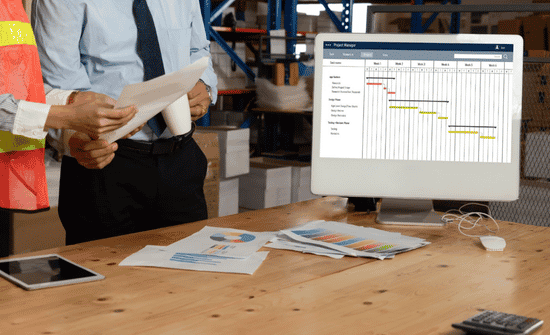
I have seen budgets fail when the original estimate is treated like a finished document instead of a baseline. Real construction costs shift constantly. A client may approve an upgrade, a supplier may raise prices, weather may delay crews, equipment may stay on-site longer, or a subcontractor may submit a revised invoice.
A contractor budget spreadsheet gives you early warning signs. If the variance column turns negative, you can review the cause before closeout. Maybe drywall labor ran over, the lumber takeoff was short, or a municipal permit cost more than expected. Early tracking helps you adjust scheduling, document change orders, and protect profit.
What Columns Should a Construction Budget Spreadsheet Include?
A reliable construction project budget template should include cost code or task, project phase, estimated cost, actual cost, committed cost, paid amount, remaining balance, variance, status, vendor or subcontractor, invoice status, change order reference, and notes.
Cost codes keep the sheet clean. For example, use 01-Sitework, 02-Concrete, 03-Framing, 04-Roofing, 05-MEP, 06-Finishes, and 07-Closeout. Estimated cost is your baseline projection or accepted bid. Actual cost is the total from invoices and receipts.
Committed cost shows approved expenses not fully paid yet. A status dropdown can include Not Started, In Progress, Waiting on Invoice, Approved, Paid, and Complete.
The key formula is variance. A simple version is Estimated Cost minus Actual Cost. In a spreadsheet, that may look like =Estimated Cost – Actual Cost with named columns, or =C2-D2 in a basic layout. This actual cost vs estimated cost comparison is the center of budget variance construction tracking.
How Should You Organize Costs by Project Phase?

The cleanest way to build a construction budget tracking spreadsheet is to group every line item by phase. Start with pre-construction soft costs such as design, drawings, engineering, permits, inspection charges, municipal fees, and site insurance.
Then add site preparation costs such as demolition, land clearing, excavation, grading, dumpsters, temporary utilities, and utility hookups.
Next, create a hard costs section for the structure, including foundation work, concrete, steel, framing, sheathing, roofing, windows, doors, siding, and exterior finishes. After that, build an interior systems section for HVAC, electrical wiring, plumbing, low-voltage work, fire protection, and other MEP expenses.
Your finishes section should include drywall, flooring, tile, paint, cabinetry, countertops, trim, hardware, lighting fixtures, appliances, and cleanup. I would also add a contingency fund of 10% to 15% of the total project budget for material price changes, hidden site conditions, and approved change orders.
These budgeting considerations are an important part of the construction project management process, helping project owners maintain financial control, anticipate unexpected expenses, and keep construction timelines on track.
Excel vs Google Sheets: Which Is Better?
A construction budget Excel template works well when you need advanced formulas, protected cells, offline access, dashboard charts, and locked calculation fields. It is a strong choice when one estimator, owner, or project manager controls the file.
A Google Sheets construction budget template works better when several people need live access. Office staff can enter invoices, field managers can review costs, and owners can check progress from different locations. For smaller US construction teams, Google Sheets can reduce version-control problems.
Are Ready-Made Templates Worth Using?
Free templates from Smartsheet and Project Manager are useful starting points because they show how professional cost worksheets organize estimated cost, actual cost, and variance. They can help you create a construction cost control template faster than starting from a blank sheet.
Premium digital planners on Etsy often add automation, such as 160-plus formulas, automated dashboard charts, locked calculation cells, color-coded input fields, room-by-room cost planning, municipal permit tracking, progress bars, and overrun alerts. Weekly templates can also help site managers track labor, rental equipment, and value engineering savings.
How Often Should You Update It?
I recommend updating your budget weekly at minimum, and daily during fast-moving phases. Labor, rentals, material deliveries, and subcontractor invoices can change quickly, so late entries make cost control less reliable. Every change order should also include a description, approval date, cost impact, and updated budget line.
Frequently Asked Questions (FAQs)
-
What should be included in a construction budget spreadsheet?
It should include cost codes, phases, estimated cost, actual cost, committed cost, paid amount, remaining balance, variance, invoice status, change orders, and notes.
-
How do you calculate construction budget variance?
Subtract actual cost from estimated cost to see whether each line item is under budget or over budget.
-
Is Excel or Google Sheets better for construction cost tracking?
Excel is better for advanced formulas and protected files, while Google Sheets is better for live team collaboration.
-
What is a good construction contingency amount?
Many contractors set aside 10% to 15% of the total budget for unexpected costs, price changes, and approved change orders.
Final Takeaway
A construction budget tracking spreadsheet helps contractors stop guessing and start managing project money with confidence. When it separates hard costs, soft costs, labor, materials, MEP (Mechanical, electrical, and plumbing), finishes, change orders, contingency, invoices, retainage, and subcontractor payments, it becomes a weekly profit-protection tool.
For US builders and remodelers, the best spreadsheet is phase-based, formula-driven, easy to update, and clear enough for both office and field teams. When you track estimated cost, actual cost, variance, committed cost, and cash flow consistently, you can catch overruns early and keep more profit in every job.