



I have seen how fast a construction payroll week can become stressful when time cards are late, handwriting is unclear, cost codes are missing, or crews move between jobsites without clean records.
For contractors, labor is one of the biggest project costs, and even small time-tracking mistakes can affect payroll, estimating, billing, and profit. That is why Digital Timesheets for Construction Crews are becoming a practical tool for field teams that need faster approvals, better labor visibility, and fewer payroll surprises.
Modern construction teams do not work from one quiet office. They work across job trailers, remote sites, active subdivisions, commercial projects, service calls, and changing weather conditions.
A paper timesheet may look simple, but it often creates delays when payroll teams need accurate hours by employee, task, project, trade, and cost code. Digital systems solve that problem by turning daily labor tracking into a clear, approved workflow.
Why Paper Timesheets Slow Down Construction Projects
Paper timesheets often fail because construction work moves faster than paperwork. A foreman may collect hours at the end of the day, an employee may forget a start time, or a payroll manager may need to call multiple supervisors to confirm missing details. When that happens every week, the problem becomes more than an admin headache.
Manual timesheets can lead to payroll errors, late approvals, duplicate entries, lost records, and inaccurate labor reporting. They also make it harder to see whether a job is staying within budget while the work is still happening. By the time labor costs are entered into a spreadsheet, the project may already be over budget.
For contractors working on public projects, union jobs, prevailing wage work, or jobs with strict documentation requirements, poor time records can create additional risk. Clean labor records are not just useful for payroll. They support billing, compliance, job costing, dispute resolution, and future estimating.
What Digital Timesheets Actually Do
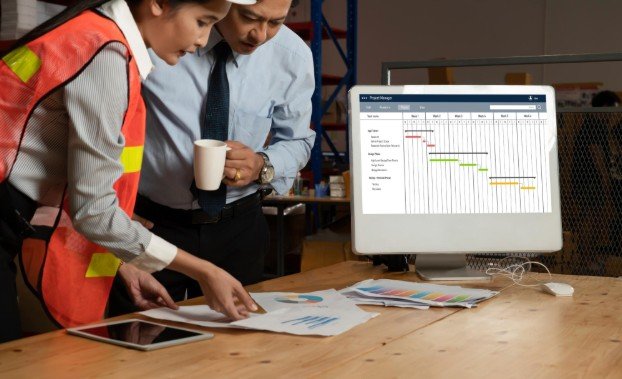
Digital timesheets replace paper time cards, manual spreadsheets, and delayed supervisor approvals with a mobile-first process. Workers or crew leaders can enter hours from the field, select the correct job, assign cost codes, record breaks, and submit time for approval. Supervisors can review, edit, approve, or reject entries before payroll runs.
The best systems are designed around how construction crews actually work. They support crew-based entry, mobile clock-ins, geofencing, GPS verification, offline access, overtime rules, daily notes, equipment tracking, and payroll export. Instead of waiting for paper forms to reach the office, managers can see labor data in near real time.
This matters because labor data loses value when it arrives too late. A digital timesheet gives project managers faster insight into who worked, where they worked, how long they worked, and which task or phase absorbed those hours.
How Digital Timesheets Work on a Jobsite
A typical digital timesheet workflow starts when an employee clocks in through a mobile app or when a foreman records time for the crew. The worker chooses the jobsite, task, cost code, and sometimes equipment or phase of work. If GPS or geofencing is enabled, the system can help confirm that the clock-in happened at the correct location.
At the end of the shift, the employee or foreman submits the time entry. A supervisor reviews the hours, checks for missed breaks or incorrect codes, and approves the record. Once approved, the data can move into payroll, accounting, or project management software.
This process helps reduce back-and-forth communication. Instead of asking where a worker was assigned on Tuesday or why overtime appeared on a job, managers can review the digital record. The result is cleaner payroll, stronger accountability, and better project cost control.
Key Features Construction Crews Should Look For

Mobile Time Tracking
Construction crews need a system that works from the field, not only from an office desktop. A mobile app allows workers and foremen to submit hours directly from the jobsite. This makes time tracking faster and more accurate because hours are recorded close to when the work happens.
GPS and Geofencing
GPS and geofencing features help confirm that workers are clocking in from approved locations. This can reduce time theft, buddy punching, and location disputes. It also helps companies with multiple jobsites understand where labor is being used each day.
Offline Access
Many jobsites have weak cell service. A good digital timesheet tool should allow workers to record time offline and sync entries once the connection returns. Without this feature, field teams may fall back into paper notes or delayed entries, especially when tracking labor around deliveries, installation tasks, and building materials used in construction.
Cost-Code Tracking
Cost codes are essential for construction job costing. They help contractors understand how much labor is being spent on framing, electrical, plumbing, concrete, site prep, punch work, or other project phases. When workers select cost codes during time entry, office teams get more accurate labor reports without rebuilding the data manually.
Supervisor Approval Workflows
Approvals are one of the biggest advantages of digital systems. Supervisors can review time daily instead of waiting until payroll deadline. This helps catch errors while the work is still fresh, which is much easier than correcting entries days later.
Payroll and Accounting Integration
A strong digital timesheet system should connect with payroll or accounting software. This reduces duplicate data entry and lowers the chance of payroll mistakes. It also helps contractors move approved hours into payroll faster.
Benefits for Contractors, Foremen, and Payroll Teams
The biggest benefit of digital time tracking is control. Contractors can see labor costs sooner, foremen can approve time faster, and payroll teams can process hours with fewer corrections. That creates a smoother workflow from the field to the office.
For project managers, digital timesheets support better job costing. They show whether a crew is spending too many hours on a task, whether overtime is increasing, and whether the project is moving according to the estimate. This information can help managers adjust staffing, review productivity, or address schedule issues before the budget is damaged.
For employees, digital timesheets can also create more trust. When hours are recorded clearly and approved quickly, workers are less likely to worry about missing time or delayed corrections. A simple system can make payroll feel more transparent.
Digital Timesheets vs. Paper Timesheets

Paper timesheets may feel familiar, but they are limited. They depend on handwriting, memory, manual delivery, and office data entry. Digital timesheets create a stronger record because the information is entered, reviewed, approved, and stored in one system.
Paper can answer one question: how many hours were worked? Digital systems can answer better questions: which job used the hours, which task absorbed the cost, who approved the time, whether overtime rules applied, and how labor compared with the estimate.
For growing contractors, that difference matters. A small company may survive with paper for a while, but as crews expand, jobsites multiply, and payroll becomes more complex, manual tracking becomes harder to trust.
How to Choose the Right Digital Timesheet Tool
The right tool depends on crew size, project type, payroll process, and field conditions. A small residential contractor may need simple mobile time cards and QuickBooks integration. A commercial contractor may need cost codes, certified payroll support, geofencing, multi-crew approvals, and detailed labor reports.
Before choosing software, contractors should ask whether the system is easy for field workers to use. A feature-rich platform is not helpful if crews avoid it. The best choice is usually the tool that balances simple field entry with strong office reporting.
It is also important to test the approval process. Time tracking only works well when supervisors review entries consistently. A digital system should make approvals faster, not create another complicated task.
Frequently Asked Questions
1. What are Digital Timesheets for Construction Crews?
They are mobile or cloud-based time-tracking systems that help construction teams record hours, jobs, cost codes, breaks, approvals, and payroll-ready labor data.
2. Are digital timesheets better than paper time cards?
Yes, because they reduce manual errors, speed up approvals, improve job costing, and give contractors faster visibility into labor costs.
3. Do construction timesheet apps work without internet?
Many quality tools offer offline mode, allowing workers to record hours on remote jobsites and sync the data when service returns.
4. Can digital timesheets help with payroll accuracy?
Yes, approved digital records can reduce duplicate entry, missed hours, incorrect overtime, and unclear job assignments before payroll is processed.
Final Thoughts
I believe labor tracking should help contractors run better projects, not just complete payroll. When time records are accurate, managers understand job costs faster, crews get paid more clearly, and companies can make smarter decisions before problems grow.
The real value of digital timesheets is not only replacing paper. It is giving construction businesses a cleaner way to connect field labor, payroll, job costing, and project control.