




Running a small construction company means managing bids, crews, schedules, invoices, client updates, materials, and jobsite problems at the same time. I have seen how quickly a simple project can turn stressful when everything lives in texts, spreadsheets, email threads, and paper folders.
That is why choosing the right construction project management software for small business can make a real difference for contractors who want more control without hiring a bigger office team.
The goal is not to buy the biggest platform on the market. The goal is to choose software that fits your workflow, whether you handle custom homes, remodeling jobs, trade contracting, roofing, plumbing, electrical work, or small commercial projects.
A good system should improve field-to-office communication, protect margins, simplify job costing, and keep every project moving.
What Does Construction Software Do for Small Contractors?
Construction software helps small contractors manage project details from one place. It can support scheduling, estimating, proposals, job costing, change orders, daily reports, blueprint management, invoices, client communication, and document storage.
For a small business, this matters because one missed change order or one delayed update can affect profit. When your team has one shared system, the office knows what happened in the field, the crew knows what comes next, and clients get clearer updates. That structure helps reduce rework, missed billing, schedule confusion, and costly communication gaps.
What Should Small Construction Businesses Look For First?
Before comparing brands, I would look at the problems slowing the business down today. If projects run late, scheduling should be the priority. If profits feel unclear, job costing matters most. If clients keep asking for updates, a client portal or communication tool may create the biggest improvement.
The best construction project management software for small business should include mobile access, job costing, task tracking, document control, change order management, and accounting integration.
For many US contractors, QuickBooks integration is especially important because it reduces duplicate entry and helps keep expenses, invoices, and payments connected.
Best Software for Residential Builders and Remodelers
Is Buildertrend Good for Custom Home Builders?
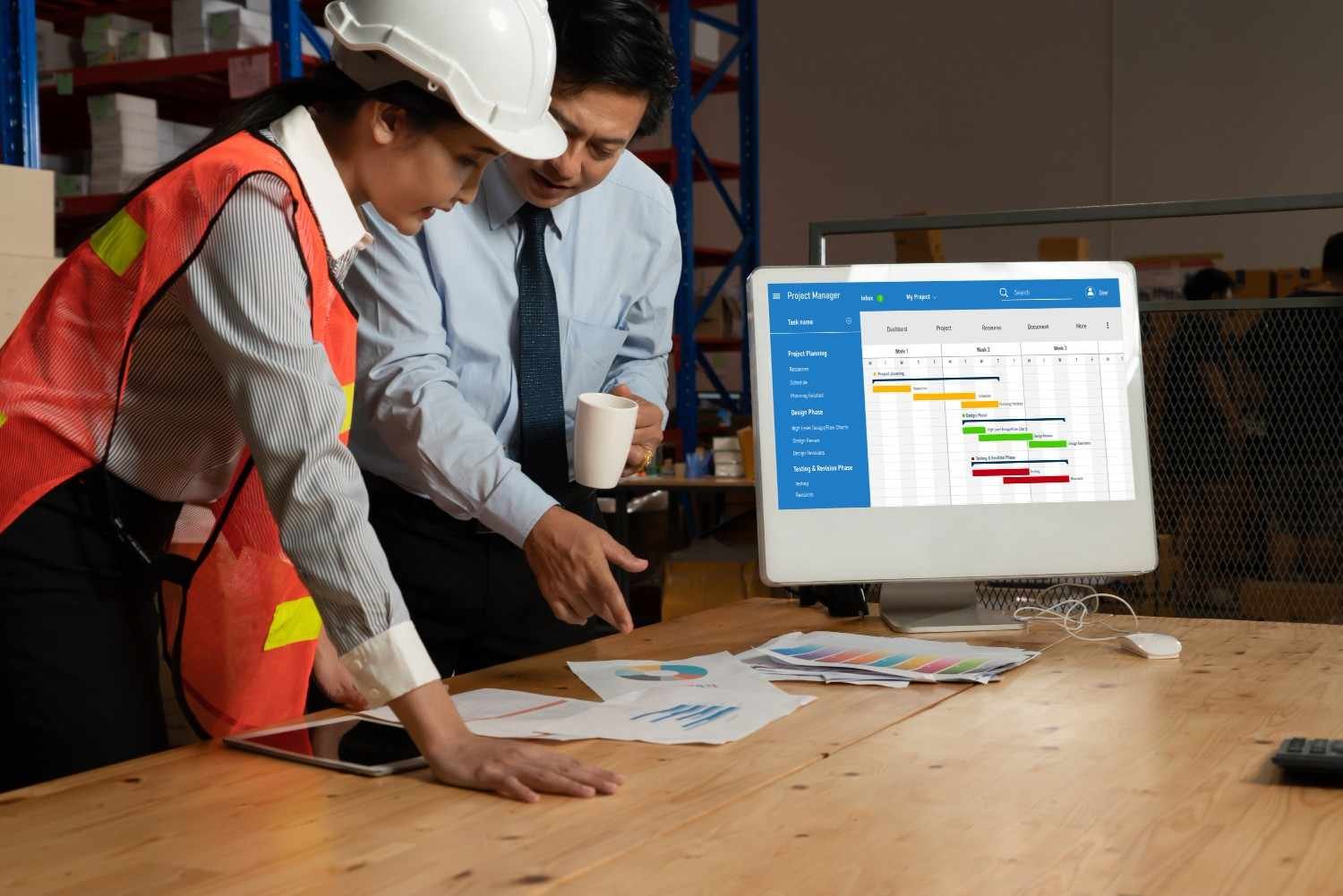
Buildertrend is a strong fit for custom home builders, remodelers, and residential contractors who need a full project management system. It brings schedules, change orders, daily logs, punch lists, proposals, and client communication into one platform. I would consider it especially useful when homeowners need regular updates and approvals during the build.
The biggest advantage is its residential focus. Builders can use client portals to improve transparency, manage selections, document changes, and keep homeowners involved without endless back-and-forth calls.
This clearly shows the benefits of transparency because clients feel informed, decisions move faster, and misunderstandings are reduced before they affect the project. For growing residential companies, that kind of organized communication can protect both client relationships and project margins.
Is JobTread Better for Fast Setup?
JobTread works well for contractors who want estimating, job tracking, budgets, and project management without a heavy setup process. It is designed for construction teams that need to move from bidding to execution with less friction.
I would place JobTread high for small residential crews, remodelers, and general contractors that want clean proposals, structured pricing, and better team adoption. If your team avoids complicated software, a simpler system can deliver more value than a powerful tool nobody uses.
Is Houzz Pro Useful for Design-Driven Contractors?
Houzz Pro is a good option for remodelers, design-build firms, interior designers, and contractors who care about both project management and lead generation. It combines estimates, proposals, CRM tools, client communication, and marketing support in one place.
This makes it useful for businesses that rely on visual selling. If you need to present ideas, manage prospects, send proposals, and keep client conversations organized, Houzz Pro can support the front end of the business as much as the project itself.
Best Budget-Friendly Tools for Small Contractors
Is Contractor Foreman Good for Tight Budgets?
Contractor Foreman is one of the strongest options for small contractors that want an affordable all-in-one construction management system. Its plans start around $49 per month, which makes it attractive for companies that need features like estimates, daily logs, scheduling, invoices, safety tools, and document management without paying enterprise-level prices.
I would consider Contractor Foreman a practical choice for small general contractors, specialty trades, and growing crews that want many construction-specific features in one system. It can be a smart middle ground between basic apps and expensive enterprise software.
Is Raken Best for Daily Reports?

Raken is especially useful for daily reporting, time tracking, safety checklists, and field-to-office updates. If your biggest problem is getting accurate jobsite information back to the office, Raken can help crews capture photos, notes, hours, and safety documentation from the field.
This type of tool works well for contractors who need better visibility into what happened each day. Daily reports can also help with accountability, compliance, disputes, and internal project tracking.
Is Fieldwire Best for Blueprints and Jobsite Tasks?
Fieldwire is a strong choice for on-site task management, blueprint coordination, punch lists, and field collaboration. It helps crews view plans, mark up drawings, assign tasks, and track work directly from mobile devices.
I would choose Fieldwire when the field team needs quick access to current drawings and task details. For subcontractors, site supervisors, and crews working from plans every day, this can reduce confusion and prevent costly rework.
Best Flexible and Low-Cost Alternatives
When Does Noloco Make Sense?
Noloco is different because it is a no-code platform rather than traditional construction software. It works best for small businesses that want to build a custom workflow around their existing process instead of forcing their team into a rigid system.
This can help contractors who have unique approval steps, client portals, project dashboards, or internal tracking needs. However, it may require more setup thinking than a ready-made construction platform.
Can Zoho Projects Work for Contractors?
Zoho Projects can work for small contractors that already use the Zoho ecosystem or need affordable project management features like Gantt charts, task dependencies, time tracking, and team collaboration. It is not built only for construction, so it may need manual setup for job costing, document control, and field workflows.
I would recommend it for small teams that want a budget-friendly project management tool and do not need advanced construction-specific features right away.
Should Small Businesses Avoid Enterprise Construction Software?

Many small contractors make the mistake of buying software built for large construction companies too early. Platforms like Procore can be powerful, but they may also bring higher costs, longer implementation, and more complexity than a small back office can handle.
The enterprise trap happens when a small business pays for features it does not use. Instead of improving operations, the software becomes another task to manage. A lean contractor should start with the features that solve daily problems first, then upgrade when project volume and team size justify it.
Are Generic Tools Like Trello or Asana Enough?
Generic project management tools can help with task lists and basic organization, but they usually fall short for construction workflows. They often lack RFIs, drawing management, change orders, job costing, daily reports, and field documentation.
That does not mean they are useless. A very small crew may use a generic tool temporarily. But once projects involve multiple trades, client approvals, budgets, and drawings, construction-specific software usually becomes the better choice.
How to Choose the Right Software Without Wasting Money
I would choose software by matching it to the main workflow. Residential builders may prefer Buildertrend, JobTread, or Houzz Pro. Budget-conscious contractors may prefer Contractor Foreman. Field-heavy teams may benefit from Raken or Fieldwire. Teams with custom internal processes may consider Noloco. Small teams already using Zoho may test Zoho Projects.
The right construction project management software for small business should feel easy enough for the crew to use every day. If field adoption fails, the software fails. Look for mobile access, offline usability, simple dashboards, support, accounting integrations, and pricing that still makes sense as your team grows.
Frequently Asked Questions (FAQs)
1. What is the best construction software for small contractors?
The best software depends on your workflow, but Buildertrend, JobTread, Contractor Foreman, Raken, Fieldwire, Houzz Pro, Noloco, and Zoho Projects all serve different small contractor needs.
2. Is construction software worth it for a small business?
Yes, it is worth it when it saves admin time, improves scheduling, tracks job costs, documents changes, and helps crews communicate clearly from the field.
3. What is the most affordable construction management software?
Contractor Foreman is often considered a budget-friendly option because it offers many construction-specific features with entry-level pricing around $49 per month.
4. Should contractors use construction-specific software or generic project tools?
Construction-specific software is usually better once you need job costing, change orders, RFIs, drawings, daily reports, and field documentation.
Final Thoughts
I believe small contractors should treat software as a profit-protection tool, not just an admin tool. The right platform helps you track costs, document changes, manage crews, update clients, and finish projects with fewer surprises.
Start with your biggest pain point, test the tool with real project data, and avoid paying for features your team will not use. When the software fits the way your business actually works, it can help you run tighter jobs, protect margins, follow a clear construction project closeout checklist, and grow with more confidence.